

Introduction
Working, reading, and streaming from bed used to feel like a guilty habit. Now it is a normal part of modern home life. Spare rooms became offices, offices became kitchen tables, and the bedroom quietly turned into the calmest place to answer email, finish a project, or watch a show. Using an HP laptop on bed linens is now as ordinary as keeping a book on the nightstand.
The trouble is that a bed is built for sleep, not for screens. Soft bedding looks lovely, but it works against what a laptop needs. Your bedroom wants cozy bedroom staging that looks calm and layered. Your body wants good posture. Your laptop wants cool, moving air. Balance all three and the room works. Ignore one, and you end up with a sore neck, a hot device, or a bedroom that looks like a nest of cables.
The solution is to build your bed-workspace from elevated, natural materials such as bamboo, raw linen, and oak. A well-planned HP laptop on bed setup feels like an intentional part of your design, not an office dropped onto your duvet. With the right lap desk for bed, a few supportive layers, and hidden cords, you protect your bedding, your device, and your back.
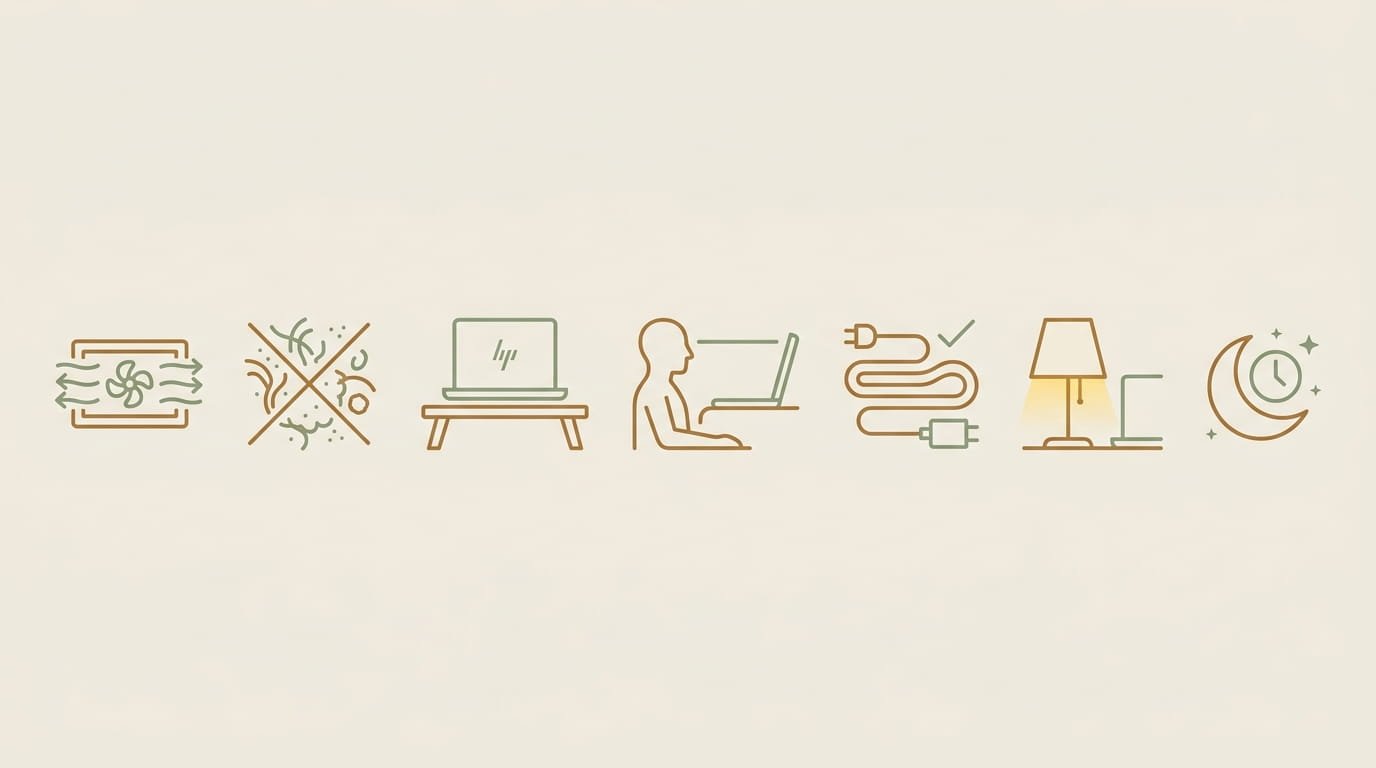
The 7 rules at a glance:
- Never let bedding seal the vents.
- Keep lint away from the fan intakes.
- Work on a rigid, raised surface.
- Raise the screen and support your back.
- Hide the cables and give every accessory a home.
- Light in layers and tame the glare.
- Never store a warm or charging laptop under bedding.
Each rule appears below, paired with the design move that makes it easy to follow.
The Physics of Comfort: Why Soft Bedding & Airflow Vents Conflict
A laptop stays cool by moving air. It pulls cool air in through vents and pushes warm air out. Most laptops, HP models included, breathe through vents on the underside and along the sides or back edge, so take a moment to find where yours are. Soft bedding is the opposite of airflow. It hugs, sinks, and covers. That clash is the source of most problems with an HP laptop on bed.
The Duvet Seal Effect

Rule 1: Never let bedding seal the vents.
Plush comforters, memory foam mattresses, and heavy duvets share one habit. They mold to whatever sits on them. When a laptop sinks into a soft surface, the fabric or foam wraps around the base and covers the lower vents. Picture a lid pressed onto a pot. Warm air has nowhere to go.
What makes this tricky is that the heat builds silently. You may not notice anything at first. Memory foam adds to the problem because foam also holds warmth. Watch for these early signs:
- A base that feels warm or hot
- A fan that gets louder than usual
- A laptop that feels sluggish on simple tasks
If you notice any of these, lift the laptop onto a hard surface right away.
The Lint & Fabric Fiber Trap
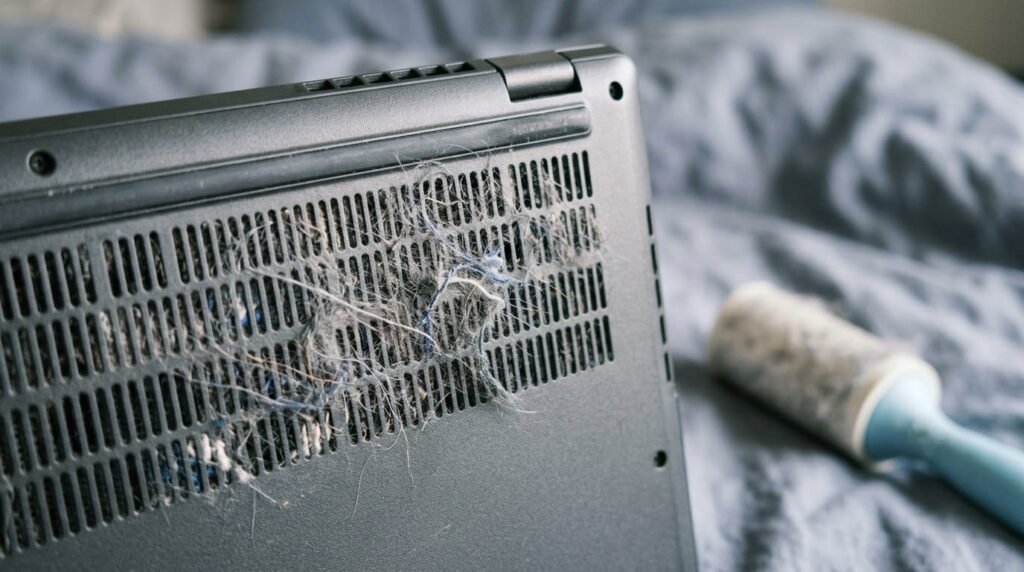
Rule 2: Keep lint away from the fan intakes.
Bedding sheds tiny fibers every time you shake out a throw or adjust a pillow. Fuzzy fabrics like fleece, chenille, and brushed cotton tend to shed more than smooth percale or linen. Those fibers float in the air and settle near your device. The fan pulls air in, and the lint comes along. Over time it packs against the vents like dust on a filter and slows airflow.
The fix protects both sides:
- Protect the device: Keep a rigid tray between the laptop and the bedding, so the intakes never rest against fabric.
- Protect your linens: Hard feet and rough edges can snag or pill delicate fabrics like linen and bouclé. Choose a tray with a smooth, sanded underside.
- Reduce the source: Run a lint roller over the bed before you settle in, and keep fluffy throws away from your work zone.
The Rigid Surface Mandate
Rule 3: Work on a rigid, raised surface.
The simplest upgrade is a flat, firm surface under the laptop. Aim for a base that lifts the device about 1 to 2 inches above the bedding. That small air gap keeps the vents open, protects your sheets from warmth, and lets the fan work gently. A cool laptop stays whisper-quiet, which matters when someone next to you is trying to sleep.
Look for three traits in any surface:
- Flat and firm: It should not bend or sink under weight.
- Raised: Legs, feet, or a foam base should create that 1 to 2 inch gap.
- Smooth underneath: Nothing should snag your linens.
A laptop cooling tray with a quiet fan can add extra airflow. Treat it as a bonus, not a substitute. It still needs a firm surface underneath and room to breathe.
The Architectural Setup: 5 Elevated Ways to Use an HP Laptop on the Bed
These five setups put Rule 3 into practice. Pick the one that suits your bedroom’s materials, and you get a safe surface that also looks designed. Any of them can anchor a polished bedroom workspace setup.
1. Natural Hardwood & Bamboo Lap Trays
A wooden bed tray desk is the classic choice, and it is also the easiest to style. Natural oak, rich walnut, and bamboo all bring the organic texture that modern bedrooms love. Bamboo is lighter and easy to lift. Oak and walnut are heavier and feel more stable.
- Match the wood to the room: Oak looks soft and airy against oatmeal or white linen sheets. Walnut adds depth next to cream bedding and charcoal accents. Bamboo pairs well with a woven or rattan headboard and neutral tones.
- Look for foldable legs: They lift the laptop to a comfortable height, and the tray folds flat for storage.
- Choose ventilation slots: Cut-outs or slats in the top help heat escape without any fan noise. Many designs include them.
- Add integrated docks: A slim groove for a phone or tablet, a pen slot, and a small cup ring keep the surface tidy.
- Check the underside: Smooth feet or felt pads protect cotton and linen sheets.
2. Upholstered & Linen-Covered Cushion Lap Desks
If you love soft textures, a cushion lap desk for bed gives you comfort with a firm work surface. Look for fabric bases in oatmeal, cream, or soft gray that match your throw pillows and bouclé accents. The look is quiet and tonal, so the desk blends into the bed instead of standing out.
What matters most is the build:
- High-density foam underside: It shapes to your lap or the duvet without collapsing, and it keeps the desk steady.
- Heat-resistant top surface: A smooth, firm board on top gives the laptop a proper base. Avoid pillow-style desks with only a soft top, since the laptop can sink into them.
- Removable linen cover: A washable cover keeps the desk fresh, and raw linen softens beautifully with each wash.
3. Adjustable Height Bed Desks for Ergonomic Staging
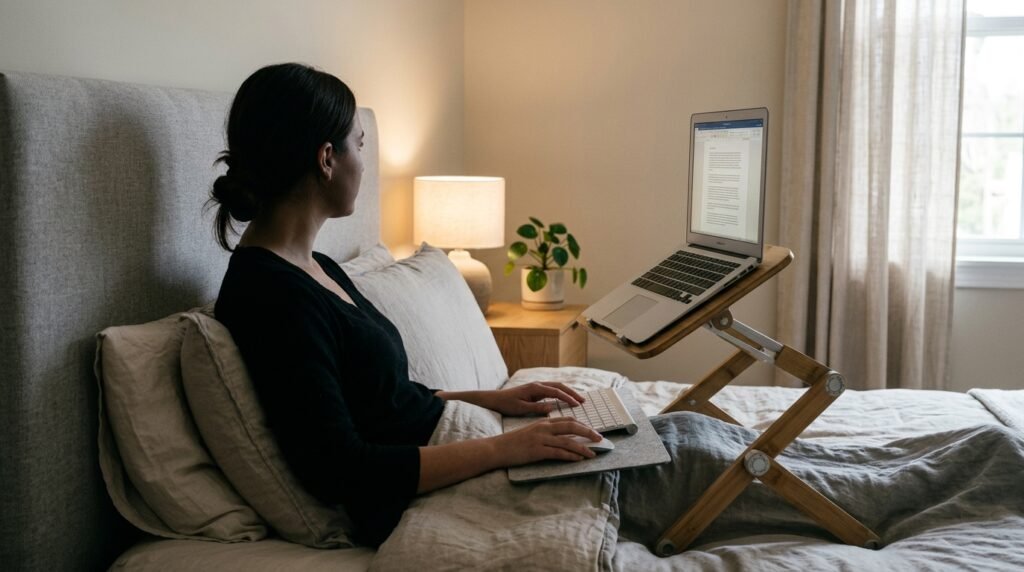
Rule 4: Raise the screen and support your back.
Poor posture is the biggest downside of working in bed. When the laptop sits low on your lap, your head tips forward and your neck does the work. Good bedroom ergonomics start with screen height.
An adjustable bed desk lets you lift the screen closer to eye level. That helps prevent neck strain against the headboard and keeps your shoulders relaxed.
- Set the height so the top of the screen sits near eye level. You should not have to look down for long stretches.
- Add a slim wireless keyboard if you type a lot. A raised screen puts the built-in keyboard high, and a separate one keeps your wrists comfortable.
- Choose a tilt option. A slight angle brings the screen toward your face without lifting your arms.
- Pick a multi-use design. Many folding trays double as breakfast-in-bed servers on weekends. When the laptop is away, the tray can sit on the nightstand as a display for a candle, a small plant, and a short stack of books.
4. Styled DIY Alternatives Using Home Decor Props
You do not need to buy anything new to protect your bedding. Everyday decor pieces can act as temporary heat barriers for short sessions.
- Oversized coffee table books: A large hardcover with a firm, flat cover makes a sturdy base. Choose one that matches your bedding palette, such as a cream linen cover with oak accents.
- Rigid wooden serving boards: A big serving board works well. Add a non-slip liner to keep it steady, and look for rounded corners that will not snag your sheets.
- Heavy acrylic trays: Clear acrylic is smooth, easy to wipe, and almost invisible on a light bedspread.
- Color-story matching: Pick props in the same palette as your bedding. When you finish working, the book or board returns to the nightstand or dresser as decor.
Design note: Treat these as stopgaps. If the base ever feels hot, take a break or switch to a proper tray.
5. Ergonomic Back & Lumbar Support Staging
This is the second half of Rule 4. A flat headboard rarely supports your spine on its own, so build a supportive stack that also looks good. It is cozy bedroom staging and bedroom ergonomics working together.
- Start with Euro shams. Stand two large Euro shams, usually 26 by 26 inches, upright against the headboard. They create a firm, tall base.
- Add a husband pillow or reading wedge. A backrest pillow with arms, or a foam wedge, fills the gap between your back and the headboard and holds you upright.
- Tuck a lumbar cushion at the small of your back. A small, firm cushion in a linen cover keeps your lower back supported.
- Finish with texture. Drape a waffle-weave throw over your legs and add a second lumbar cushion in a different weave. This layered look gives the bed an editorial, hotel-style finish.
Sit back so your hips touch the base of the pillows, and place a small pillow under your knees for comfort.
Discreet Cable Management & Nightstand Organization
Cables are what break the spell of a serene bedroom, which is why good nightstand organization starts with taming the cords. A tidy setup also keeps your HP laptop on bed safer, because nothing gets tugged, tangled, or buried in the bedding.
Hiding the Power Brick
Rule 5: Hide the cables and give every accessory a home.
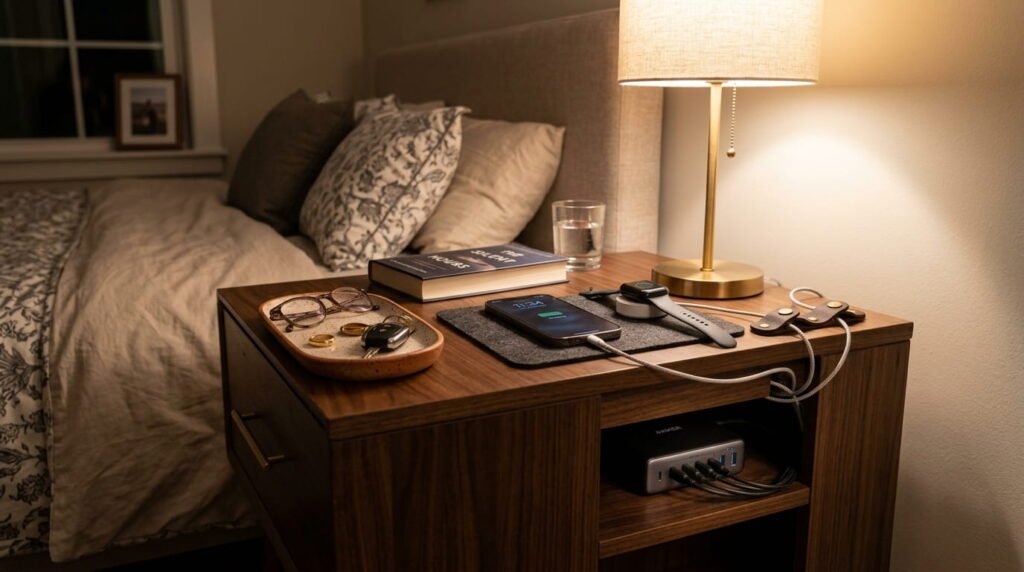
- Run cords behind the nightstand and along the bed frame rail, where they disappear from view.
- Use leather cord keepers: These small leather straps hold cables against the rail or the back of the nightstand. Tan or cognac leather blends with wood and linen and adds a tailored detail.
- Pick cords in a neutral color: White, cream, or braided fabric cables blend into bedding better than black plastic.
- Keep the power brick off the bedding: Set it on the floor, a nightstand shelf, or in a small basket with airflow. A warm charger should never sit under a pillow or duvet.
- Choose a cord that reaches the bed comfortably, so it does not tug on the laptop when you shift.
Vertical Lap Tray Storage
When the work is done, the tray still needs a home. Slide your folded lap desk into the natural slot between the nightstand and the bed frame. The tray stands on its edge, out of sight, and the floor stays completely clear. This works best with a tray that folds flat. If the corners are sharp, add a felt or fabric sleeve to protect your wood furniture.
Nightstand Charging Stations
Small items create visual clutter fastest. Corral them with a few tidy trays:
- A ceramic catchall for earbuds, a mouse dongle, and other small accessories.
- A wooden tray to dock a wireless mouse and the power adapter out of sight.
- A lidded box for headphones and spare cables.
Keep the whole station on a hard surface and away from hot lamps or candles. Styled well, the nightstand reads as a calm vignette: a lamp, a book, a small plant, and one clean tray.
Ambient Lighting & Atmosphere for Late-Night Bed Working
Overhead lights are harsh, and a bright screen in a dark room is tiring for your eyes. A layered approach fixes both.
Task vs. Mood Lighting
Rule 6: Light in layers and tame the glare.

Use two kinds of light together:
- Mood lighting: A warm bedside reading lamp with a 2700K bulb gives a soft, golden glow. A linen shade spreads the light gently. Switch off the ceiling light and let the lamps do the work.
- Task lighting: A small, directional LED clip light on the headboard or a shelf lets you aim light at your notes and keyboard area, not at the screen. Choose one with a dimmer and a warm setting.
Together they give you enough light to work without harsh overhead glare, and they keep your cozy bedroom staging intact. Place the brightest light behind or beside you so it does not compete with the screen.
Soft Drapery & Glare Control
Windows can turn a screen into a mirror. If you work in the morning, position your bed-workspace so the window sits to your side. A window behind you reflects in the screen, and a window in front of you makes you squint.
- Hang sheer linen curtains to soften direct sun while keeping the daylight.
- Layer with lined drapes that you can close during the brightest hours.
- Adjust the screen angle and shift your seat a few inches to see if the reflection disappears.
Soft drapery also adds to the serene look of the room, so the glare fix and the design fix are one and the same.
Quick Maintenance & Fabric Safety
A little care keeps your HP laptop on bed setup quiet and safe for years.
Gentle Cleaning Routines
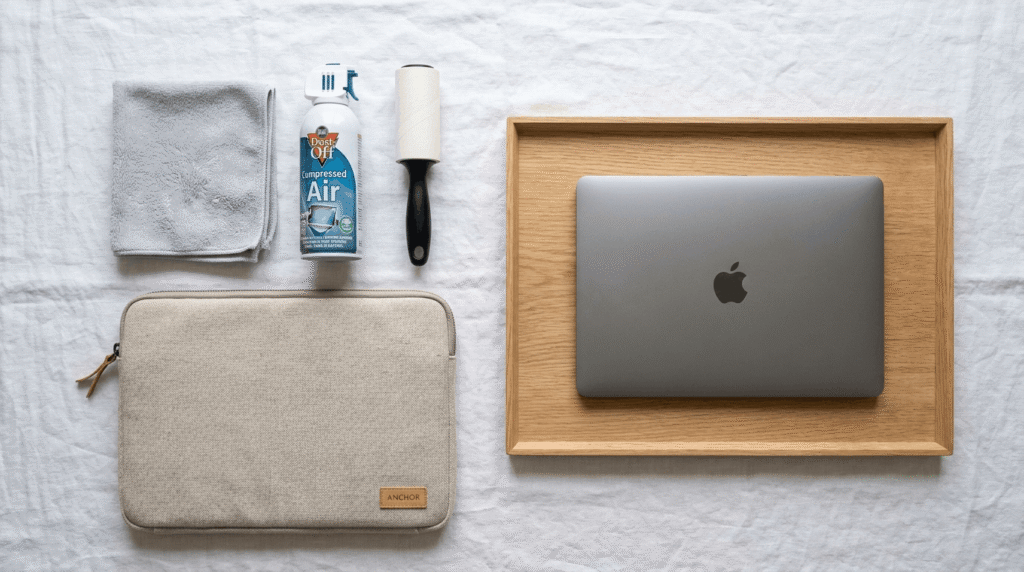
Bed lint builds up faster than you might expect, so plan a quick monthly reset. This routine also supports Rule 2.
- Shut down and unplug the laptop, and let it cool.
- Wipe the outside with a dry or slightly damp microfiber cloth. Never spray liquid directly on the laptop.
- Clear the side vents. Hold a can of compressed air upright and use short bursts from a few inches away.
- Wipe the tray and run a lint roller over the nearby bedding.
If the fan still sounds loud after cleaning, a repair shop can clean the inside.
Safe Storage Habits
Rule 7: Never store a warm or charging laptop under bedding.
When you finish, it is tempting to slide the laptop under a pillow or tuck it beneath the duvet. Do not. A warm or charging laptop needs airflow, and heavy bedding traps heat around it. Trapped heat is a safety risk, and it shortens the life of your device.
Build a simple shutdown routine:
- Save your work and shut down, or at least let the laptop rest on the tray until it cools.
- Unplug the charger from the bed area and coil the cord.
- Move the laptop to the desk, the nightstand, or a padded sleeve.
- Fold the tray and slide it into its vertical slot.
- Never fall asleep with a laptop on the bed, even when it is closed.
Conclusion & Summary
Final Takeaway
A great HP laptop on bed setup does three jobs at once. It protects the device with airflow and a rigid base, it protects your body with better posture, and it protects your bedroom’s look with natural materials and hidden cables. Keep the seven rules in mind: vents open, lint out, rigid surface, screen high, cables hidden, lighting layered, and no laptop under the covers. When these habits become routine, convenience, safety, and interior design stop competing and start working together. That is how a bedroom workspace setup becomes part of a serene bedroom environment.
Closing Design Note
You can enjoy the luxury of working from bed without turning your sanctuary into a tangled web of wires and hot electronics. Choose a tray in natural oak or bamboo, dress the bed in oatmeal, cream, and warm gray, and let soft lamps set the mood. When the work is done, fold the tray away, and the room goes back to being what it should be: quiet, layered, and yours.





Leave a Reply